
Both Drumbeats and Cronitor solve the same core problem: alerting you when a cron job fails silently. The feature sets overlap heavily. The pricing models do not, and neither does the depth of observability you get out of the box.
This post breaks down what each tool costs in real-world scenarios and how they differ in monitoring depth.
At a glance#
| Cronitor | Drumbeats | |
|---|---|---|
| Free tier | 5 monitors (Hacker plan) | 50 monitors, 200K Beats/month |
| Pricing model | Per-monitor + per-user | Usage-based (Beats per month) |
| Per-monitor cost | $2/monitor on Business plan | $0/monitor (usage only) |
| Per-user cost | $5/user on Business plan | Unlimited team seats |
| Open source | No | No |
| Self-hostable | No | No |
| Event-driven jobs | Cron-first | First-class mode alongside cron |
| Run ID / concurrent jobs | Yes | Yes |
| Payload limit | Limited | 100 KB free, 1 MB Pro, 2 MB Business |
How each tool charges you#
Cronitor uses per-unit pricing. On their Business plan, every monitor costs $2/month and every dashboard user costs $5/month. Their free Hacker plan caps at 5 monitors with no SMS or premium integrations.
Drumbeats uses usage-based pricing. Monitors are free on every plan. You pay in Beats (1 ping = 1 Beat) so billing follows actual job activity, not how many monitors exist. The free plan includes 50 monitors and 200K Beats/month.
Three real scenarios#
Scenario 1: Solo developer, 20 cron jobs#
| Cronitor | Drumbeats | |
|---|---|---|
| Plan | Business | Free |
| Monitors | 20 × $2 = $40 | 20 of 50 included |
| Users | 1 × $5 = $5 | 1 included (unlimited seats) |
| Monthly total | $45 | $0 |
A solo dev with 20 jobs (daily backups, hourly syncs, a few weekly reports) pays $45/month on Cronitor before adding a single integration. On Drumbeats, the entire setup is free.
Scenario 2: Small team, 50 cron jobs#
| Cronitor | Drumbeats | |
|---|---|---|
| Plan | Business | Free |
| Monitors | 50 × $2 = $100 | 50 of 50 included |
| Users | 5 × $5 = $25 | 5 included (unlimited seats) |
| Monthly total | $125 | $0 |
A 5-person team monitoring 50 jobs hits $125/month on Cronitor. On Drumbeats, 50 monitors and unlimited team seats are included on the free tier. Even if job volume pushes you to Pro, that is $20/month.
Scenario 3: Growing team, 150 cron jobs#
| Cronitor | Drumbeats | |
|---|---|---|
| Plan | Business | Pro |
| Monitors | 150 × $2 = $300 | Unlimited, included |
| Users | 10 × $5 = $50 | 10 included (unlimited seats) |
| Monthly total | $350 | $20 |
At 150 monitors with 10 team members, Cronitor reaches $350/month. Drumbeats Pro covers unlimited monitors and unlimited team seats for a flat $20/month.
Feature comparison#
Both tools handle the fundamentals. Here is where they differ.
| Feature | Cronitor (Business) | Drumbeats (Free / Pro) |
|---|---|---|
| Cron job monitoring | Yes | Yes |
| Heartbeat monitoring | Yes | Yes |
| Event-driven job monitoring | No | Yes |
| Ping API (no SDK required) | Yes | Yes |
| Start + success/failure tracking | Yes | Yes |
| Separate /log signal (no status change) | Via CLI/API | Yes (dedicated endpoint) |
| Payload attachments on pings | Yes | Yes (billed from first byte; 1 Beat base + 1 Beat per 25KB chunk, rounded up) |
| Runtime duration tracking | Yes | Yes (via start → success) |
| Email, Slack, Telegram alerts | Yes | Yes (all plans) |
| Discord alerts | Yes | Yes (all plans) |
| Browser push alerts | No | Yes (all plans) |
| PagerDuty, OpsGenie | Yes | Coming soon (Business) |
| Public status pages | Yes ($25/mo for branding) | Yes (included, custom URL on Pro) |
| Minimum check interval | 30 seconds | 30 seconds (Pro) / 1 min (Free) |
| AI-powered setup | No | Yes |
| Free plan monitors | 5 | 50 |
| Seats included (paid plan) | $5/user/month | Unlimited (all plans) |
More pings, more visibility, still cheaper#
Both tools support a basic heartbeat ping. But when you want real observability (runtime tracking, failure detection, and log capture), Drumbeats' ping lifecycle shines, and the cost difference gets even wider.
With Drumbeats, a single job execution can send up to four signals:
# 1. Start — begins the runtime clock
curl https://api.drumbeats.io/v1/ping/<monitor-id>/start

your_job_command

# 2. Success or Failure — stops the clock, sets the outcome
curl https://api.drumbeats.io/v1/ping/<monitor-id>/success

# 3. Attach logs (POST body) for debugging
curl -X POST https://api.drumbeats.io/v1/ping/<monitor-id>/log \
  -d '{"rows_processed": 14823, "duration_ms": 4521}'
Each ping has a 1-Beat base cost, plus 1 Beat per 25KB chunk of payload, rounded up. Payload billing starts at the first byte, so there is no free payload allowance. A job that sends start + success + a small log payload uses 4 Beats per run, and larger payloads scale from there.
This means you can choose your observability depth per job: a quiet nightly backup can ping once (1 Beat/day), while a critical billing job can send start, success, and a log payload for full runtime and audit visibility. Payload-heavy runs simply consume more Beats.
What does this cost in practice?
Take Scenario 2, a team with 50 cron jobs. Say 30 of them are simple heartbeats (1 ping/run) and 20 send start + success + a log payload (4 Beats/run). Assume the simple jobs run hourly and the instrumented ones run every 15 minutes:
- Simple: 30 jobs × 720 runs/month × 1 Beat = 21,600 Beats
- Instrumented: 20 jobs × 2,880 runs/month × 4 Beats = 230,400 Beats
- Total: ~252K Beats/month, above Free, but comfortably within Pro's included Beats
On Cronitor, the same 50 monitors with 5 users costs $125/month regardless of how deeply you instrument each job. On Drumbeats, richer observability does not change your plan: it just uses more of your included allowance.
The pricing model problem#
Per-monitor pricing creates a perverse incentive: the more jobs you want to cover, the more expensive it gets, linearly. Teams start rationing monitors, skipping low-frequency jobs, or combining unrelated tasks into one monitor to save money.
Usage-based pricing aligns the bill with actual workload. A nightly backup that pings once a day barely registers. A per-minute health check uses more because it genuinely produces more monitoring work. You never pay for a monitor that just sits there, and payload-heavy runs are billed only by the bytes they actually send.
Where Cronitor wins#
Cronitor is a mature product with a track record. If your team needs SAML SSO today, synthetic browser checks, or real user monitoring (RUM), Cronitor already has those. Drumbeats is focused on background job monitoring and is building toward broader feature parity over time.
Even if you are already paying for Cronitor, Drumbeats' AI setup flow keeps migration overhead low, so switching is usually fast even for smaller setups.
Where Drumbeats wins#
If cost matters (and for most small to mid-size teams, it does), the math is hard to argue with. Drumbeats covers 50 monitors for free where Cronitor covers 5. At scale, the gap widens: 150 monitors costs $350/month on Cronitor vs $20/month on Drumbeats.
Drumbeats also ships with an AI setup flow that generates a ready-to-use prompt for your AI coding agent. Instead of manually wiring each job, you answer three questions, paste the output into Cursor or Claude Code, and the agent instruments your codebase. That is not something Cronitor offers.
The seat cost Cronitor does not advertise#
Cronitor charges $5/user/month on their Business plan. That number does not show up in the headline pricing. It shows up on your invoice.
For a team of 10, that is $50/month in seat fees before a single monitor is counted. A team of 20 pays $100/month just for access. The monitor costs stack on top.
Drumbeats charges $0 for seats. On every plan, including Free. You can invite your entire engineering team, your on-call rotation, and the one stakeholder who only looks at the dashboard once a month. No extra charge.
Try the math yourself#
If you are evaluating cron monitoring tools, run your own numbers. Count your monitors, count your team members, and compare.
Cronitor cost: (monitors × $2) + (users × $5) per month. Drumbeats cost: $0 for up to 50 monitors. $20/month for unlimited monitors and unlimited team seats.
Start free with Drumbeats: 50 monitors, no credit card, setup in 60 seconds.
If you've read this far, you're the kind of evaluator we built Drumbeats for. There's a quiet thank-you on /founding-members for early supporters who find it.
Keep following Drumbeats
Prefer a feed reader or want to share this post with your team? The archive stays on permanent Drumbeats URLs and every article is available through standard feeds.
Related reading

Drumbeats vs Hyperping: An Honest 2026 Comparison
Hyperping bundles uptime, on-call scheduling, and status pages into one flat rate from $24/month. Drumbeats charges by activity, gives you 50 free monitors, and adds event-driven job monitoring Hyperping doesn't have. We break down the real pricing math, where each tool wins, and who should pick which, including where Hyperping is genuinely the better call.

Drumbeats vs Healthchecks.io: An Honest Comparison (2026)
Healthchecks.io is open source, battle-tested, and genuinely good at cron monitoring. Drumbeats gives you 50 free monitors, event-driven job support as a first-class mode, and usage-based pricing. We break down the real math, compare features honestly, and show you who should use which.
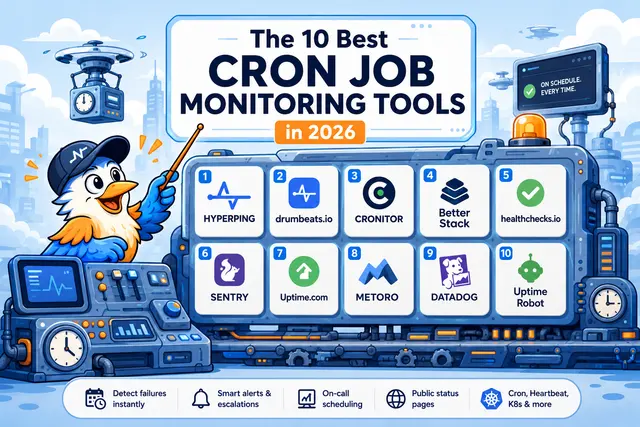
The 10 Best Cron Job Monitoring Tools in 2026
An honest, evaluated list of the cron job monitoring tools worth shortlisting in 2026: covering pricing, free tiers, on-call, status pages, K8s coverage, and what each one actually does well.