
Your invoice sender stopped after last Friday's deploy. The nightly backup completed four hours late. The revenue export has been silently skipping runs for a week.
Nobody got paged. Nobody noticed. Your users did.
That is the gap Drumbeats closes.
The problem is not missing tools: it is misaligned ones#
Uptime monitors check whether endpoints respond. Log aggregators surface errors after the fact. Neither answers the question that matters for scheduled work: did this job run on time, and did it finish?
Most cron monitoring tools technically answer that question. But they come with friction that discourages adoption: complicated APIs, per-monitor pricing that punishes coverage, and setup flows that assume you have a free afternoon.
We kept running into the same pattern: teams would instrument their three loudest jobs, skip the rest, and call it done. The quiet ones (daily syncs, weekly reports, monthly cleanups) stayed unmonitored because the cost and effort did not feel justified.
That is the wrong tradeoff.
What we did differently#
One-line integration, no SDK#
Drumbeats uses a Ping API. If your job can make an HTTP request, it can talk to Drumbeats. No library, no agent, no SDK install.
# Simplest path: ping on success
curl https://beats.drumbeats.io/v1/ping/YOUR_MONITOR_ID

# Want duration tracking? Add a start signal
curl https://beats.drumbeats.io/v1/ping/YOUR_MONITOR_ID/start
your_job_command
curl https://beats.drumbeats.io/v1/ping/YOUR_MONITOR_ID
Works in Bash, Python, Node, Go, Ruby: anything with curl or an HTTP client.
AI-powered setup in 60 seconds#
Instead of reading docs and manually wiring each job, you answer three questions about your stack at drumbeats.io/integrate. Drumbeats generates a ready-to-use prompt. Paste it into Cursor, Claude Code, Codex, or Windsurf. Your AI agent scans your repo, creates monitors via the API, and instruments your jobs.
The agent even produces a validation report flagging missing start signals, schedule mismatches, and unconfigured notification groups. You review it, merge, and move on.
Usage-based pricing instead of per-monitor fees#
Monitors are free on every plan. You pay in Beats, a usage currency where 1 ping = 1 Beat.
That means a nightly backup that pings once a day costs almost nothing. A high-frequency health check that fires every minute costs proportionally more. The bill follows actual job activity, not how many rows exist in your dashboard.
In practice, teams can afford to monitor everything important instead of rationing coverage to stay under a monitor cap.
Free: 50 monitors, 200K Beats/month, no credit card. Pro: Unlimited monitors, 1M Beats/month, $20/month. Business: Unlimited monitors, 3M Beats/month, $49/month.
A small number of launch gifts are reserved for early adopters who find them. See /founding-members if that's you.
Automatic incidents and recovery#
When a job misses its schedule or reports a failure, Drumbeats opens an incident and notifies the right people: Slack, Email, Telegram, Webhook, Discord, or browser push. When the job recovers, the incident resolves itself. No manual acknowledgment loop unless you want one.
Public status pages#
Every monitor can get its own shareable status page showing uptime, execution history, and incidents. Useful for internal teams, external customers, or compliance.
Who Drumbeats is for#
Small and mid-size product teams running scheduled work they cannot afford to lose: billing jobs, data pipelines, report generators, backup scripts, sync tasks, cleanup routines.
If you have a handful of cron jobs and want coverage, the free plan covers you. If you are running hundreds of jobs across services, Pro or Business scales with you.
Try it#
The fastest path is the AI Setup flow, 60 seconds from zero to instrumented.
If you want to explore the pricing model first, see pricing.
Or just start free and wire up your first monitor in under a minute.
The question we would leave you with: does your current setup make you want to monitor more of your background work, or less? If the answer is less, something is off.
Keep following Drumbeats
Prefer a feed reader or want to share this post with your team? The archive stays on permanent Drumbeats URLs and every article is available through standard feeds.
Related reading
Drumbeats vs Hyperping: An Honest 2026 Comparison
Hyperping bundles uptime, on-call scheduling, and status pages into one flat rate from $24/month. Drumbeats charges by activity, gives you 50 free monitors, and adds event-driven job monitoring Hyperping doesn't have. We break down the real pricing math, where each tool wins, and who should pick which, including where Hyperping is genuinely the better call.
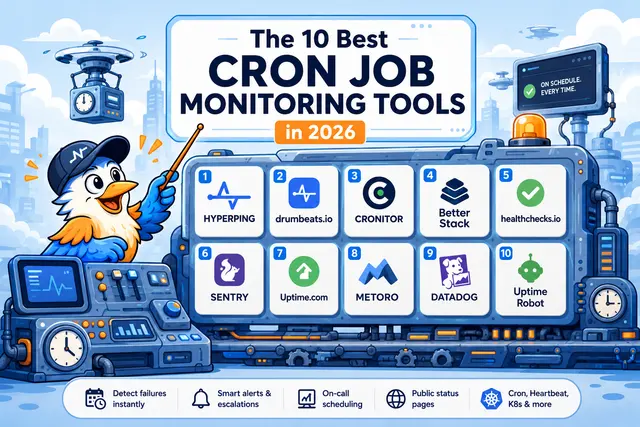
The 10 Best Cron Job Monitoring Tools in 2026
An honest, evaluated list of the cron job monitoring tools worth shortlisting in 2026: covering pricing, free tiers, on-call, status pages, K8s coverage, and what each one actually does well.
Drumbeats vs Healthchecks.io: An Honest Comparison (2026)
Healthchecks.io is open source, battle-tested, and genuinely good at cron monitoring. Drumbeats gives you 50 free monitors, event-driven job support as a first-class mode, and usage-based pricing. We break down the real math, compare features honestly, and show you who should use which.